---
updatedAt: 2025-03-23T13:53:55.000Z
agentTools:
projectIndex: https://docs.umbrellacost.io/llms.txt
---
# How to see resource costs
One of the most important things in a cost management tool is the ability to see your costs per resource. For the common services of each cloud provider, we have a special section that easily provides the cost of each resource.
The reports can be accessed from the **Service** section for each S3 bucket, RDS DB, and EC2:
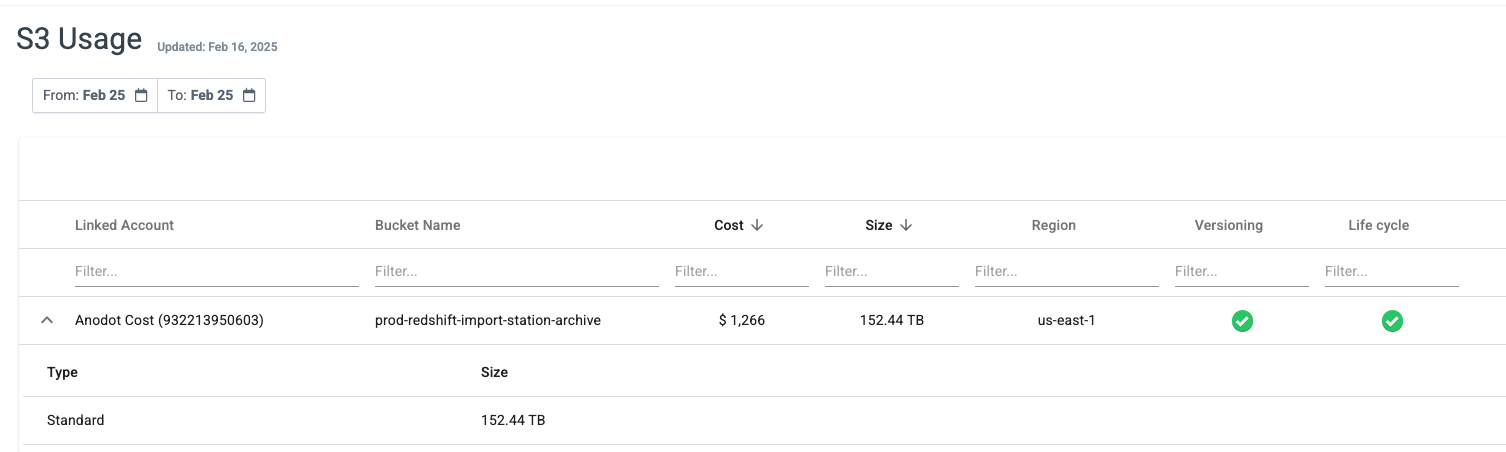
* S3 buckets cost & usage can also be analyzed by using S3 usage report.
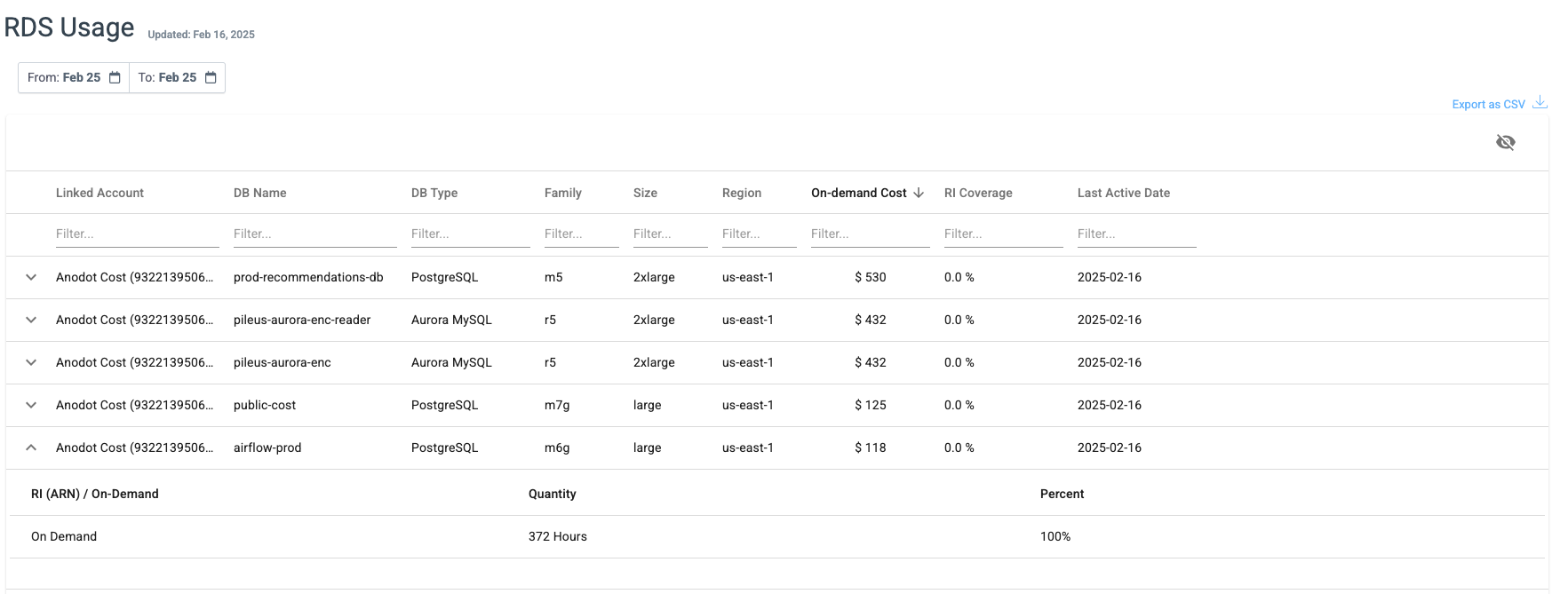
* RDS resources cost & usage can be also analyzed by using the RDS usage report.
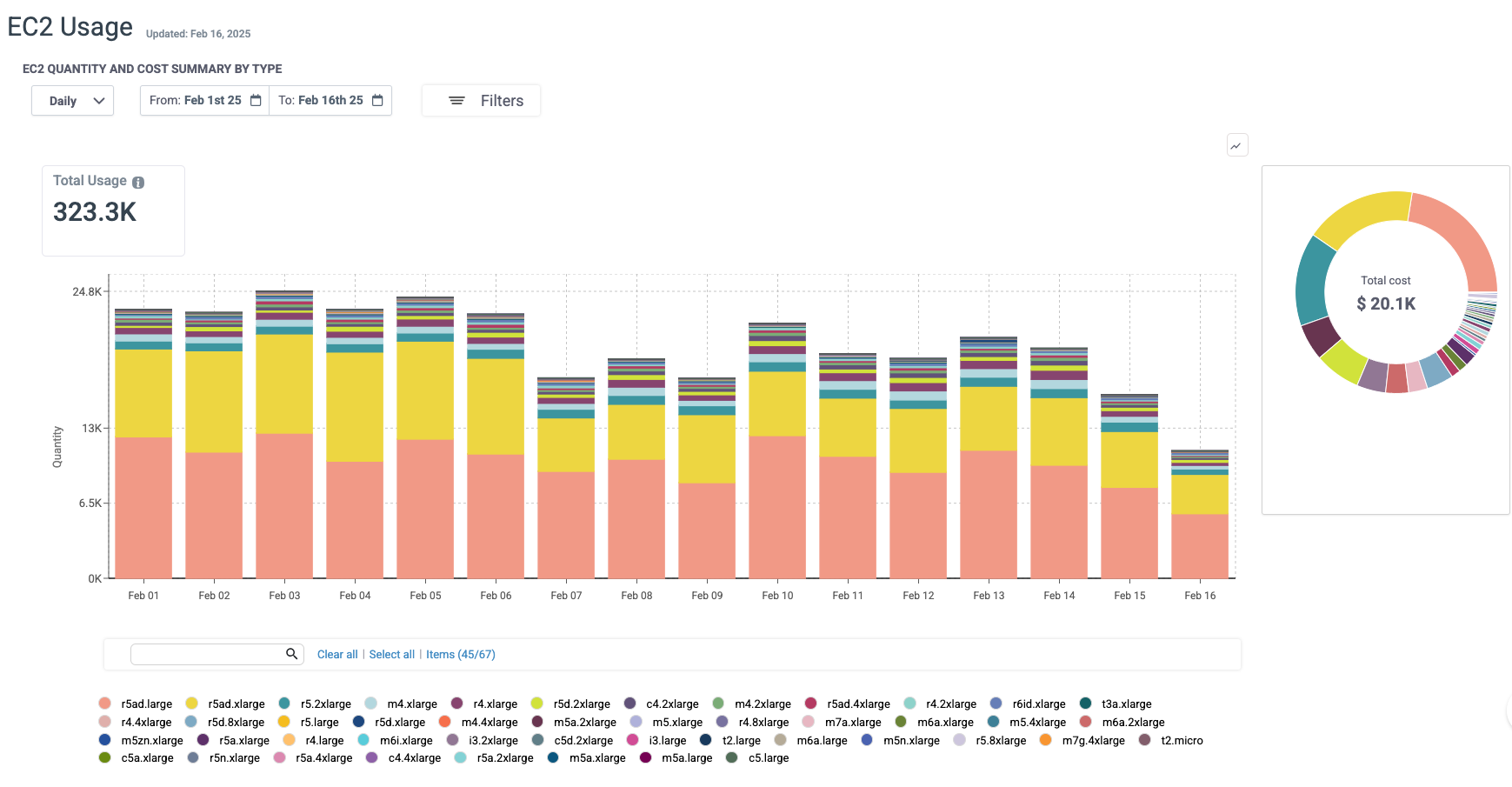
* EC2 instance types cost & usage can be also analyzed by using the EC2 usage report.
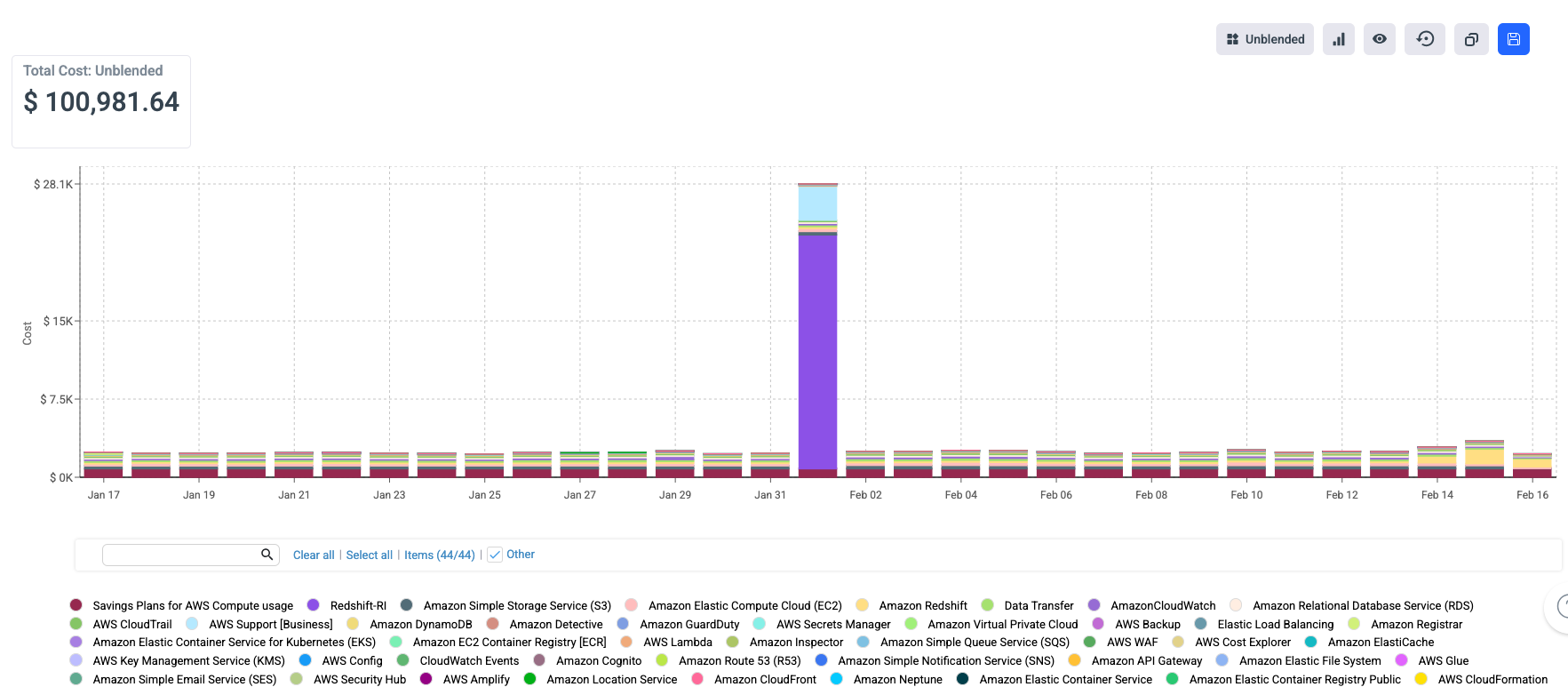
Of course, you can also use the Cost & Usage Explorer and use the deep dive ability to drill down to the resource level. In the Cost & Usage Explorer, you can drill down for each service that you are using. See more details on how to use Cost & Usage Explorer [here](https://docs.umbrellacost.io/docs/cost-usage-explorer).