---
updatedAt: 2026-02-16T09:41:49.000Z
agentTools:
projectIndex: https://docs.umbrellacost.io/llms.txt
---
# Reserved Instance Utilization
Umbrella's Reserved Instance Utilization capability provides a centralized, comprehensive view of all AWS Reserved Instances (RIs) across your organization. It is designed to help cloud finance, operations, and engineering teams understand, optimize, and govern RI usage across services, accounts, and periods.
This capability captures and visualizes Reserved Instance data every month, enabling stakeholders to monitor how effectively reservations are being used and where savings opportunities or inefficiencies exist.
# Capabilities & User Flow
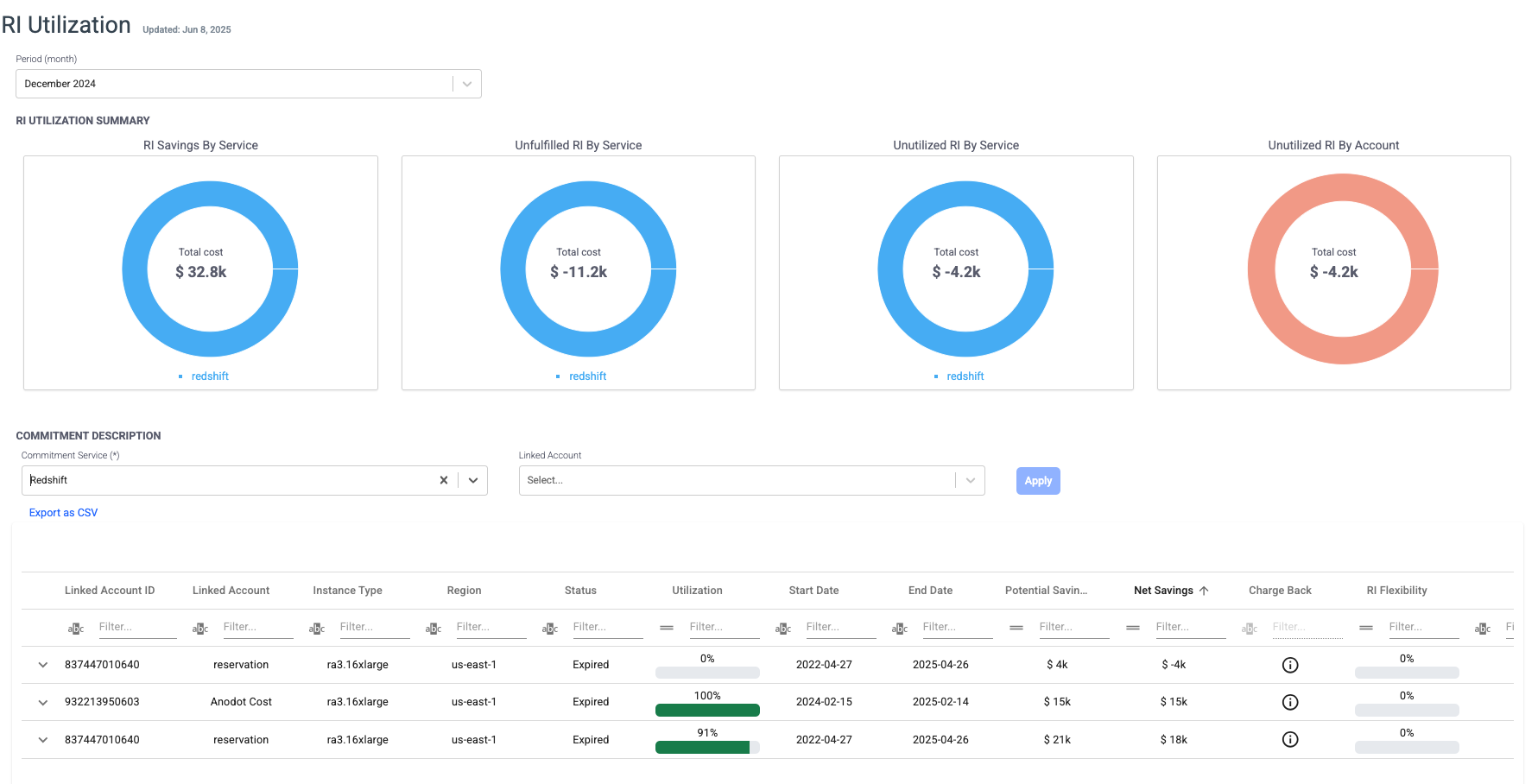
* Choose a month to explore the utilization of reserved Instances plans during that timeframe.
* Choose a service to explore the utilization of reserved Instances plans.
* *Optional* - Choose a Linked Account to explore its Reserved Instance utilization
# Analytics Widghets
You can analyze your RIs from different perspectives:
**RI Savings by Service**\
Displays the realized savings from RIs across each AWS service, helping quantify financial impact.
**Unfulfilled RI by Service**\
Identifies reservations that are not being matched by usage, pointing to potential overprovisioning or incorrect scoping.
**Unutilized RI by Service**\
Highlights underutilized RIs by service type, allowing optimization through reallocation, modification, or reduction.
**Unutilized RI by Account**\
Surfaces accounts with consistently low RI utilization, supporting governance and rightsizing efforts.
# Utilization Detailes
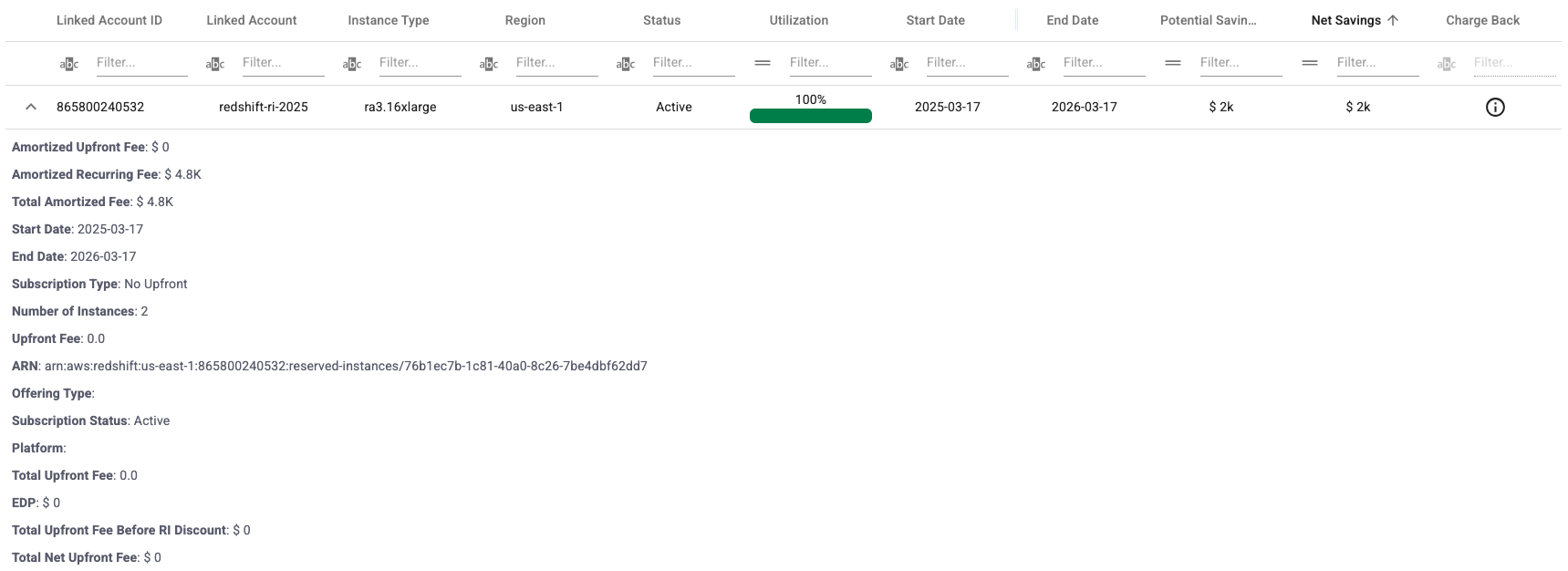
The Reserved Instance Details section offers a detailed, organization-wide view of all active, upcoming, and expired AWS Reserved Instances. This capability is designed to help teams understand their RI coverage, track utilization, and identify opportunities for optimization or consolidation.
* **Reservation ID & Instance Type**\
View the unique identifier of each RI along with its instance type (e.g., m5.large), scope (Region or AZ), and platform.
* **Start & Expiration Dates**\
Shows the term of the reservation, including its start and end dates, helping you monitor upcoming expirations and plan ahead.
* **Reservation Scope & Tenancy**\
Details whether the RI is scoped to a specific Availability Zone or Region, and whether it’s standard or convertible.
* **Hourly Commitment & Quantity**\
Displays the reserved quantity and the effective hourly rate, helping teams evaluate cost efficiency and coverage strategy.
* **Monthly Utilization**\
For each month, you can see:
* **Utilization %** – Percentage of the reserved capacity that was used.
* **Unused Hours** – Number of hours the reservation was idle.
* **Nat Savings** – Cost saved compared to On-Demand rates.
* **Potential Savings** – Identifies underutilized or idle RIs and calculates the savings missed due to low utilization.
* **Service & Usage Mapping**\
Shows which AWS services and workloads (e.g., EC2, RDS, Redshift) are benefiting from the RI, based on actual matched usage.
* **Reservation Status**\
Indicates if the RI is active, retired, expiring soon, or not fully utilized, helping guide operational decisions.
* **Charge Back**\
Insights into how the reservation is being applied across linked accounts and resources, highlighting imbalances or inefficiencies in usage.
# Required Permissions