April 2026 - Product Updated
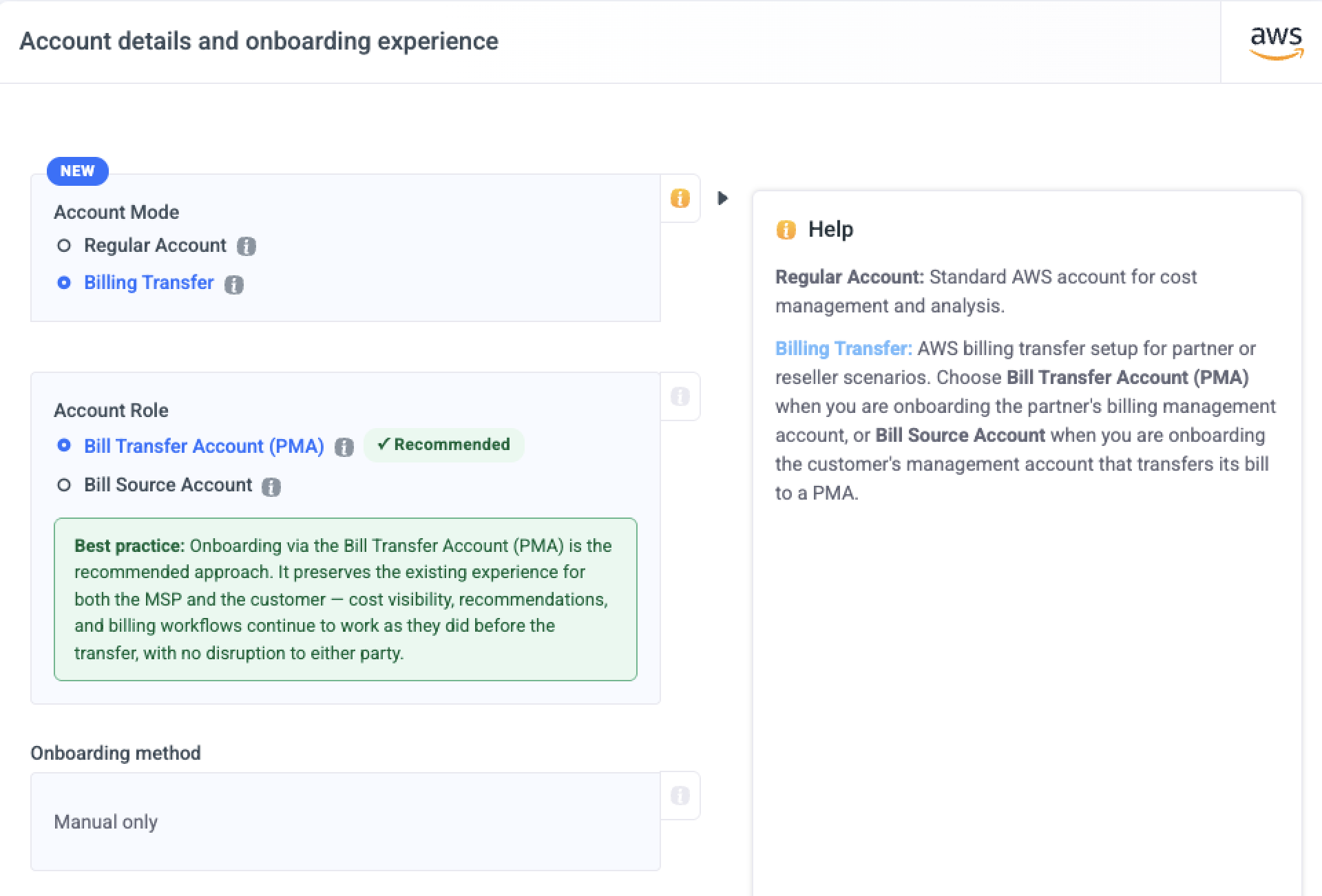
AWS Billing Transfer for MSPs (Beta)
AWS Billing Transfer Beta Umbrella now supports onboarding AWS Billing Transfer accounts. Partners can onboard their Bill Transfer Account (PMA) directly, keeping cost visibility, recommendations, and billing workflows working exactly as before the transfer - no disruption for MSPs or their customers. The onboarding wizard handles the full setup including dual role configuration, correct CUR billing view selection, and automatic validation across both accounts.
If you'd like to enable this feature in your platform, please contact our support team at [email protected].
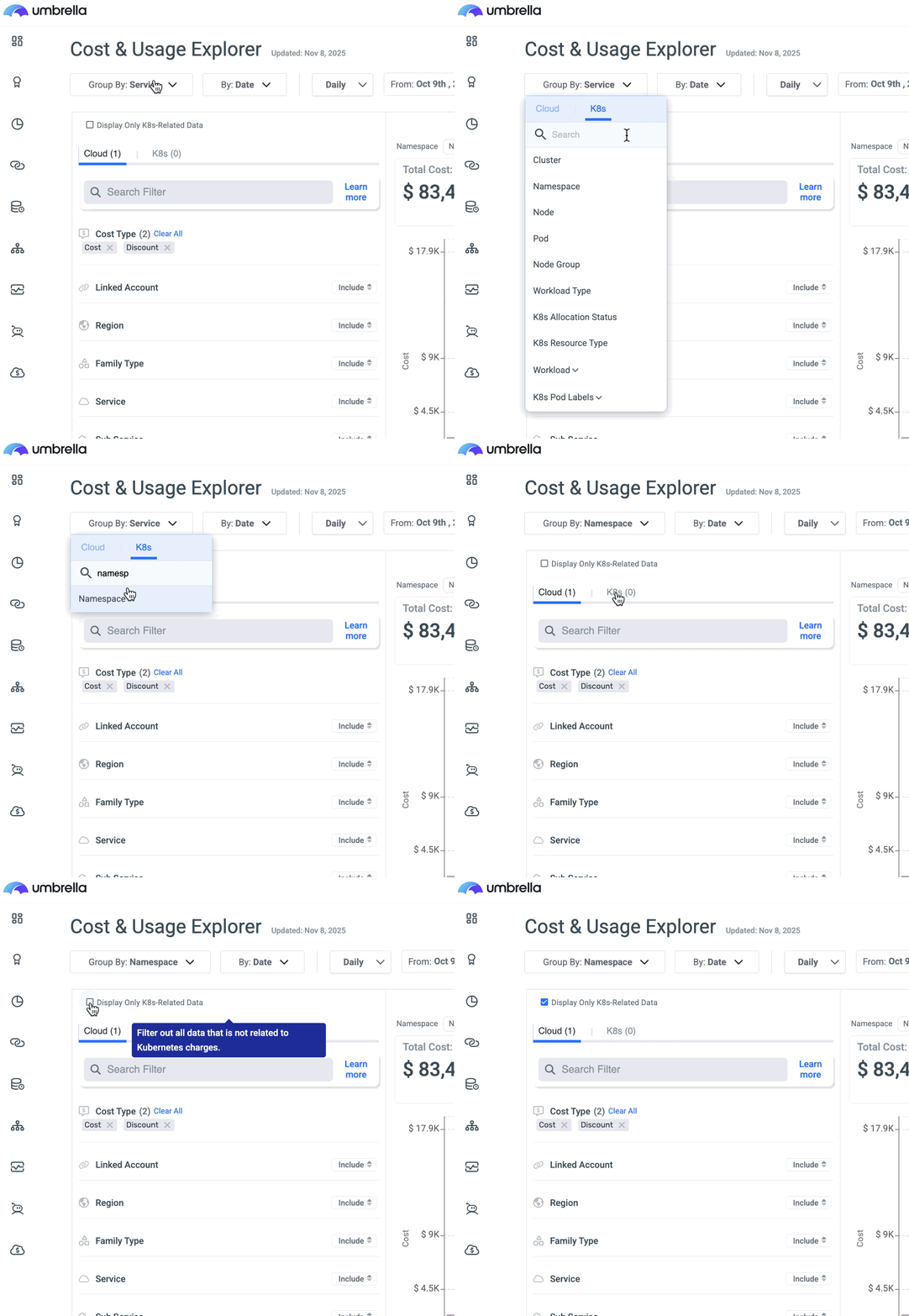
AWS Cloud-K8s Unified View
AWS Cloud-K8s Unified View The Unified Cloud and K8s View enables you to visualize and analyze your AWS Cloud and Kubernetes (K8s) costs together in one seamless experience. With this unified view, you can see all your cost and usage data simultaneously, providing a holistic understanding of your total infrastructure spend. This integration allows you to perform deeper, cross-platform analysis, correlate Cloud and K8s resource usage, and gain a complete picture of how workloads contribute to overall costs - all from a single place.
If you'd like to enable this feature for your AWS accounts, please contact our support team at [email protected]. If you are MSP customer please contact your MSP.
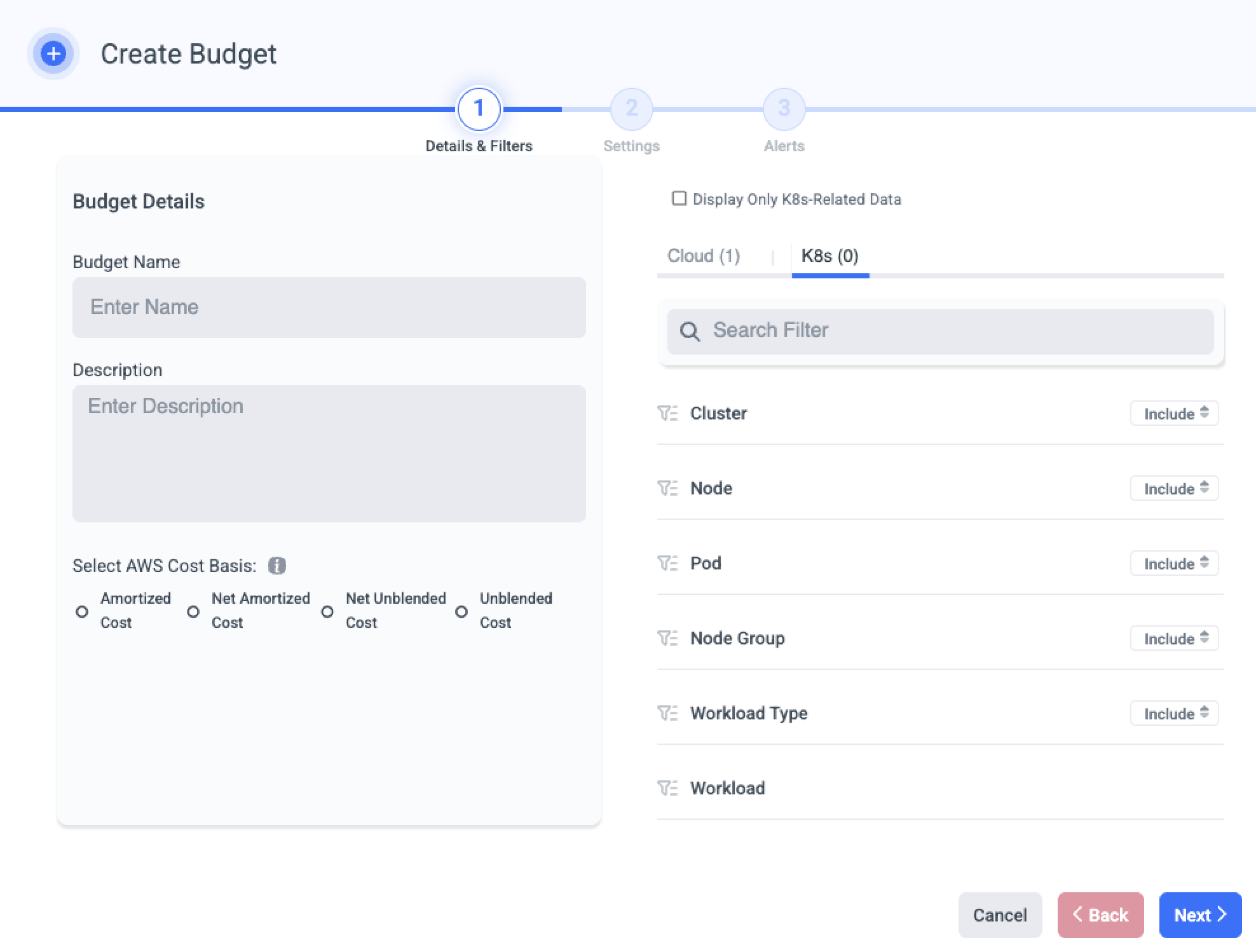
AWS K8s Budgets
Available once the Unified Cloud-K8s is enabled
Gain better control over your Kubernetes spend on AWS with our new K8s Budgets capability.
You can now define and track budgets specifically for your Kubernetes workloads, alongside your broader AWS cloud costs - all within a single, unified experience. This allows you to monitor spending in real time, identify deviations early, and take action before costs exceed expectations.
Recommendations Assignment
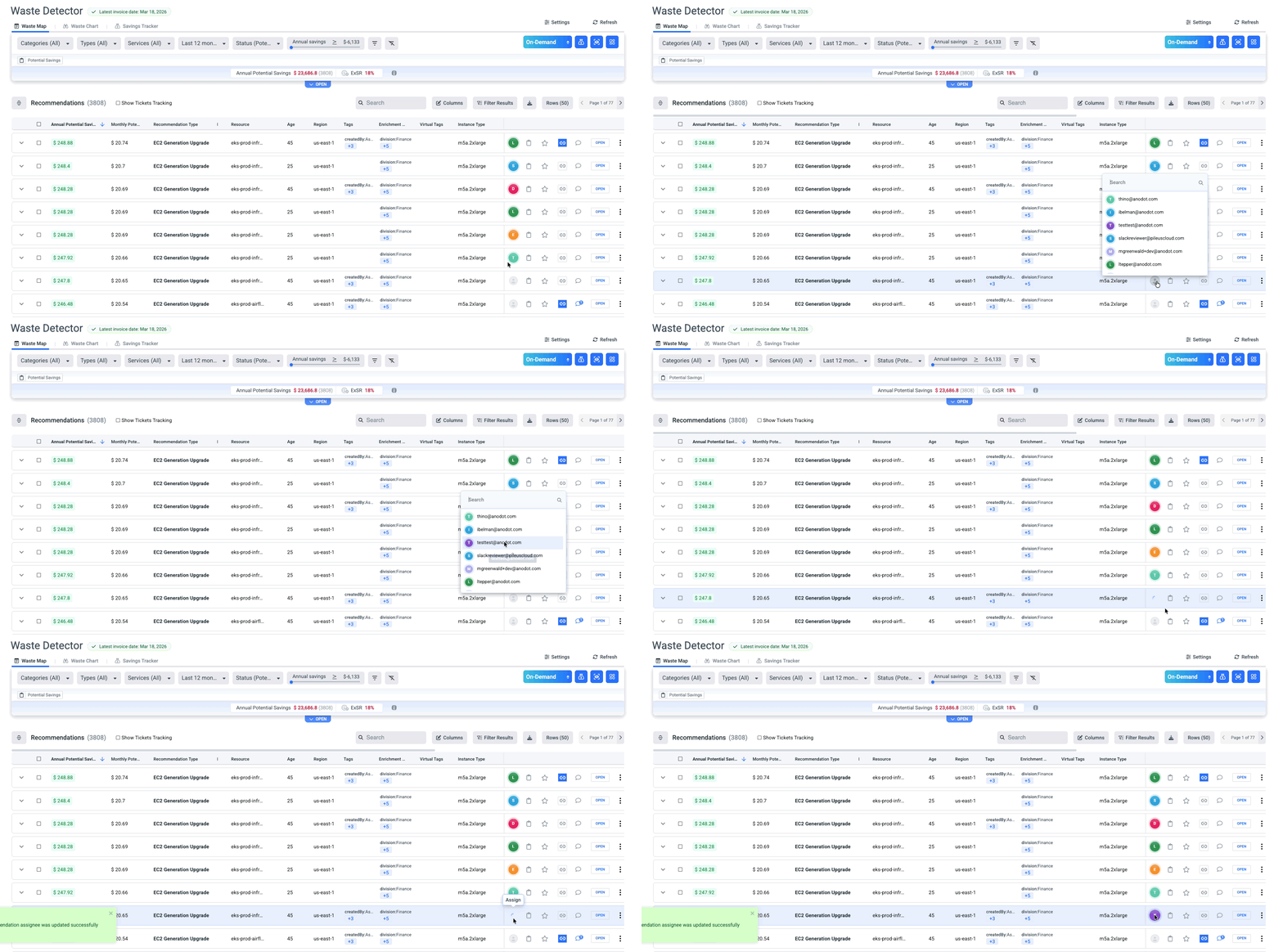
Waste Detector now allows you to assign recommendations to specific users in your organization. Assignees receive an email notification with the recommendation details and a direct link to review and act on it.
Business Mapping - Mapping Rules Groups
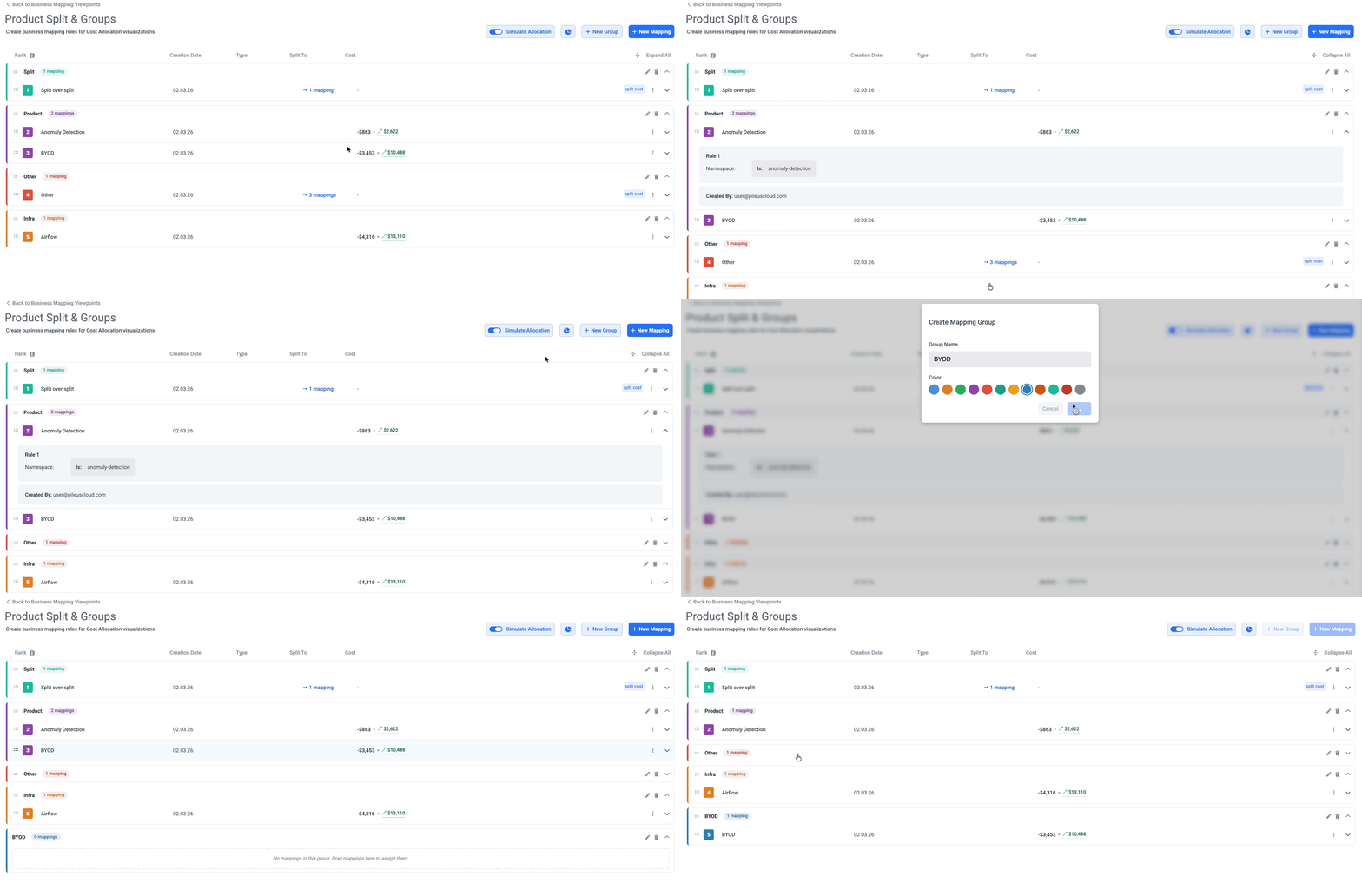
Business Mapping now lets you organize your cost allocation rules into custom groups with color coding, making it easy to segment mappings by customer tier, department, or region. You can see which mappings split costs to shared resources directly in the table, with detailed breakdowns showing split amounts, percentages, and allocation methods. An always-visible simulation panel shows real-time cost distribution across all your mappings, helping you preview and validate your allocation rules before applying them.
Business Mapping - Split Over Split
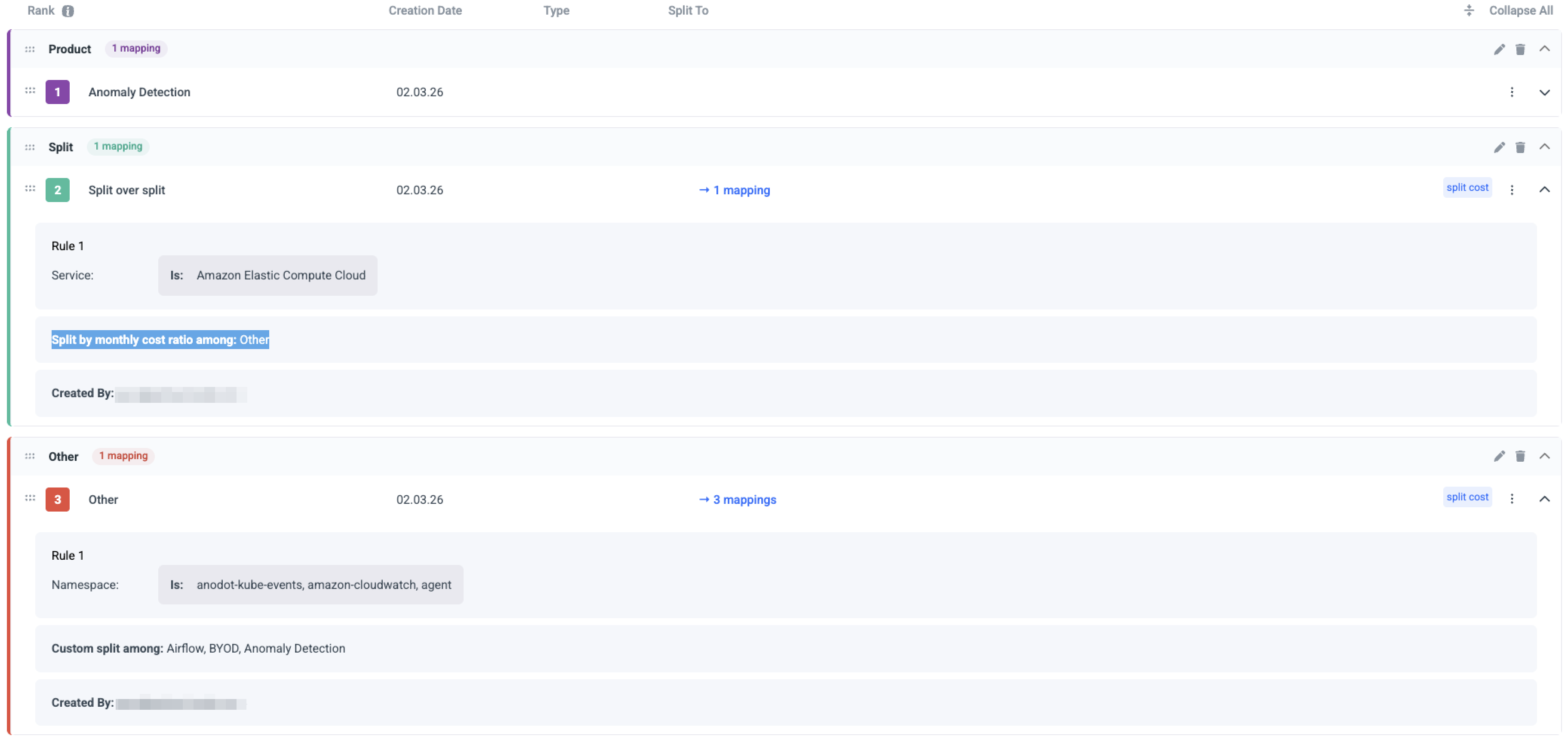
For smarter shared cost allocation, you can now chain split cost mappings together in Business Mapping. Instead of manually maintaining fixed ratios for every shared cost, point a new split cost at an existing one and Umbrella Cost will automatically follow the same proportional distribution, and keep it in sync as costs shift month over month.
New GCP Recommendations
- GCP Cloud SQL Right Sizing. Learn More▸
- GCP Outdated Image. Learn More▸
- GCP Outdated Snapshot. Learn More▸
Azure Recommendations
- Umbrella new native IP unattached recommendation along with new include preference. Learn More▸
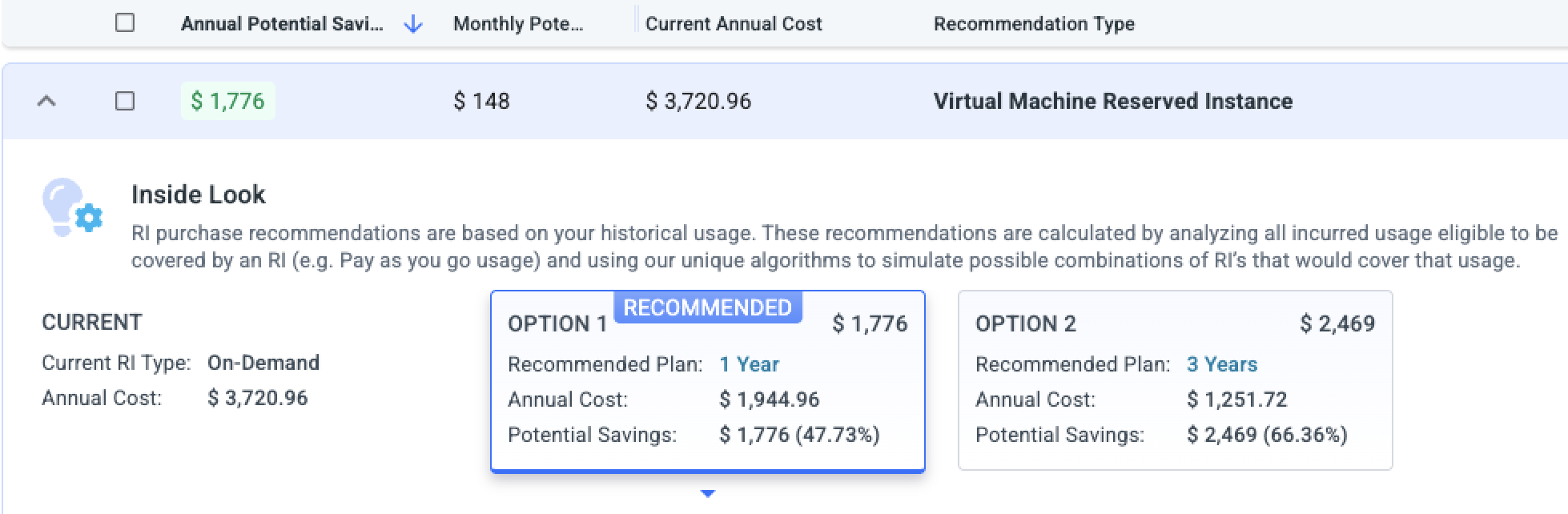
- VM Reserved Instance now present alternatives and offer preferences configuration. Learn More▸
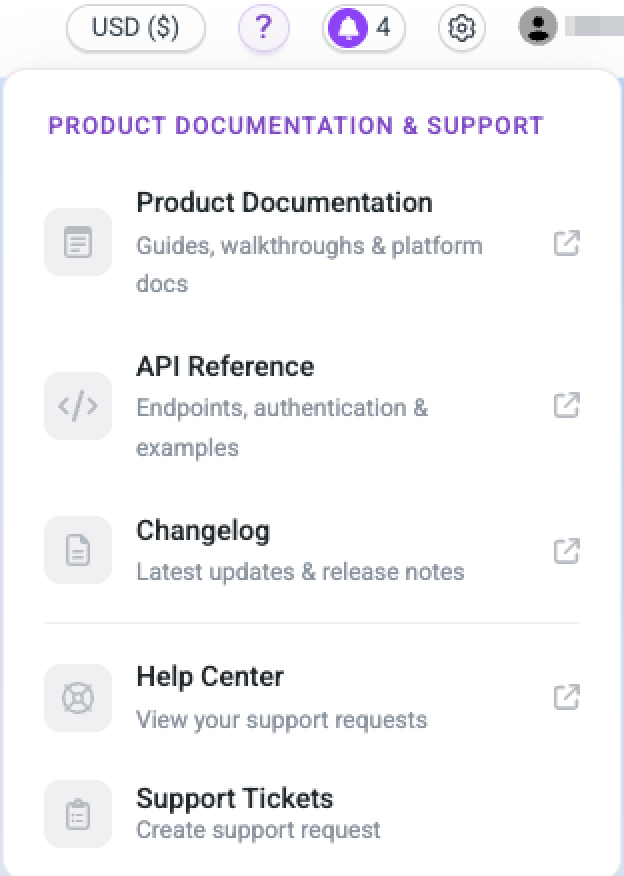
Product Documentation & Support
Introducing the new Product Documentation & Support hub, your one-stop destination to access platform documentation, explore API references, stay up to date with release notes, and manage your support tickets.