
Recommendations Assignment
Assign cost optimization recommendations to users in your organization so they can take action and track progress
Overview
Waste Detector allows you to assign recommendations to specific users in your organization. Assignees receive an email notification with the recommendation details and a direct link to review and act on it.
Assignments help you:
- Route each recommendation to the team or person responsible for the relevant resource.
- Hold individuals accountable with clear ownership.
- Track who is working on what through the Assignee filter and heatmap.
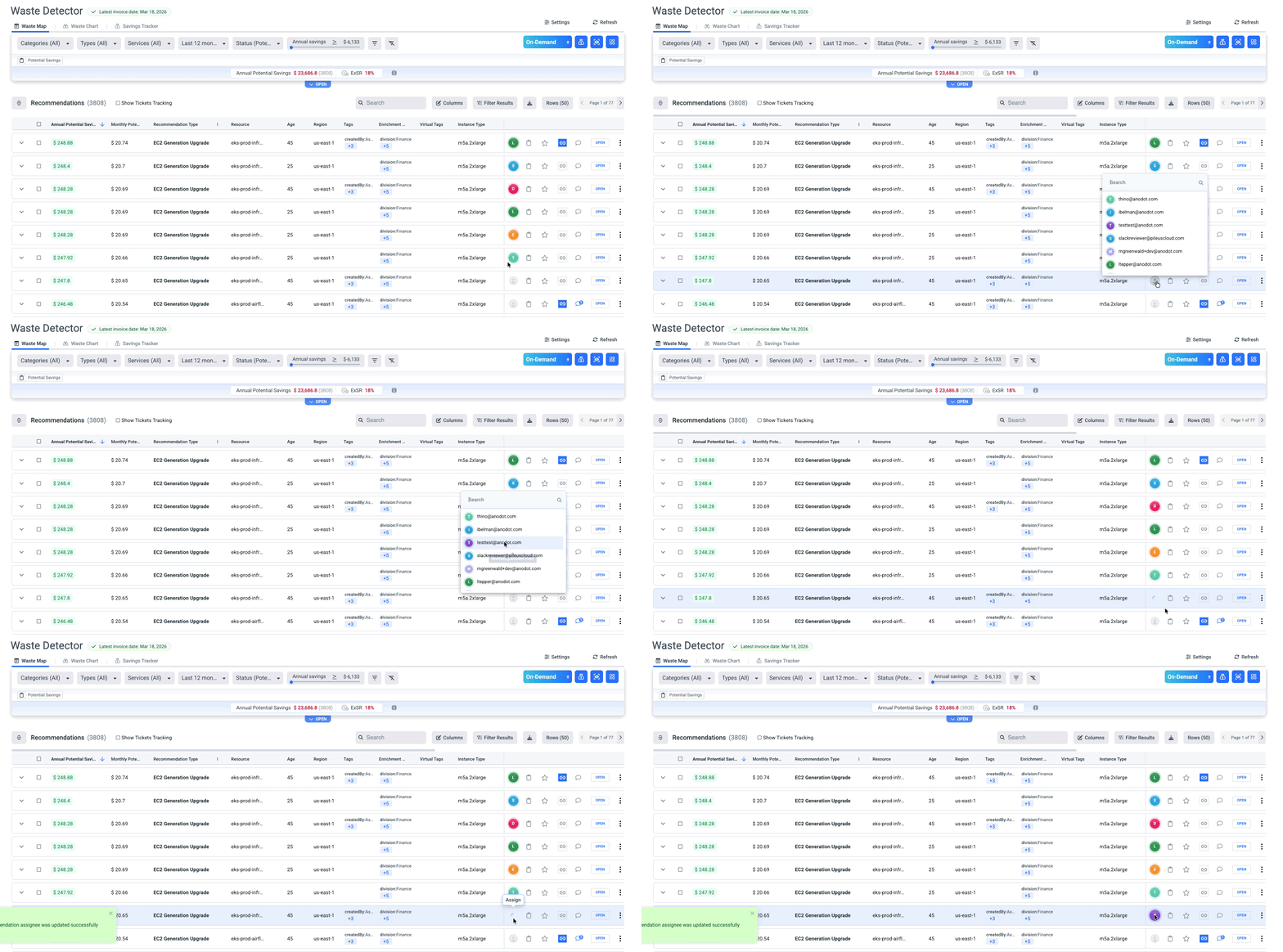
Assigning a Single Recommendation
- In Waste Detector, locate the recommendation you want to assign in the table.
- Hover over the recommendation row and click the Assign (person) icon in the action column.
- A dropdown opens with a search box — type a name or email address to filter your organization's users.
- Click the user you want to assign.
The recommendation is immediately assigned, and the user receives an email notification.
Each recommendation supports one assignee at a time. Reassigning a recommendation notifies the new assignee via email and replaces the previous assignee.
Assigning Multiple Recommendations (Bulk Action)
- Check the checkbox next to each recommendation you want to assign. You can select any number of rows.
- A bulk action toolbar appears at the top of the table, showing the number of items selected, their combined Annual Potential Savings, and Current Annual Cost.
- Click Assign in the bulk toolbar.
- Search for and select the user. All selected recommendations are assigned to them at once.
Use filters (e.g., Recommendation Type, Region, Linked Account, Tags) to narrow the table before selecting rows. This makes it easy to bulk-assign all recommendations of the same type to the right team.
Email Notification
When a recommendation is assigned or reassigned, the assignee automatically receives an email containing:
- Recommendation type (e.g., EC2 Generation Upgrade).
- Region, Linked Account, Service, and Resource name.
- Instance type and resource age.
- Any labels applied to the resource.
- Potential savings: Annual and Monthly, On-Demand and Net Amortized.
- An Explore in Waste Detector link for deeper analysis of a single assigned recommendation.
- An Open Waste Detector button for direct access to the full recommendation list.
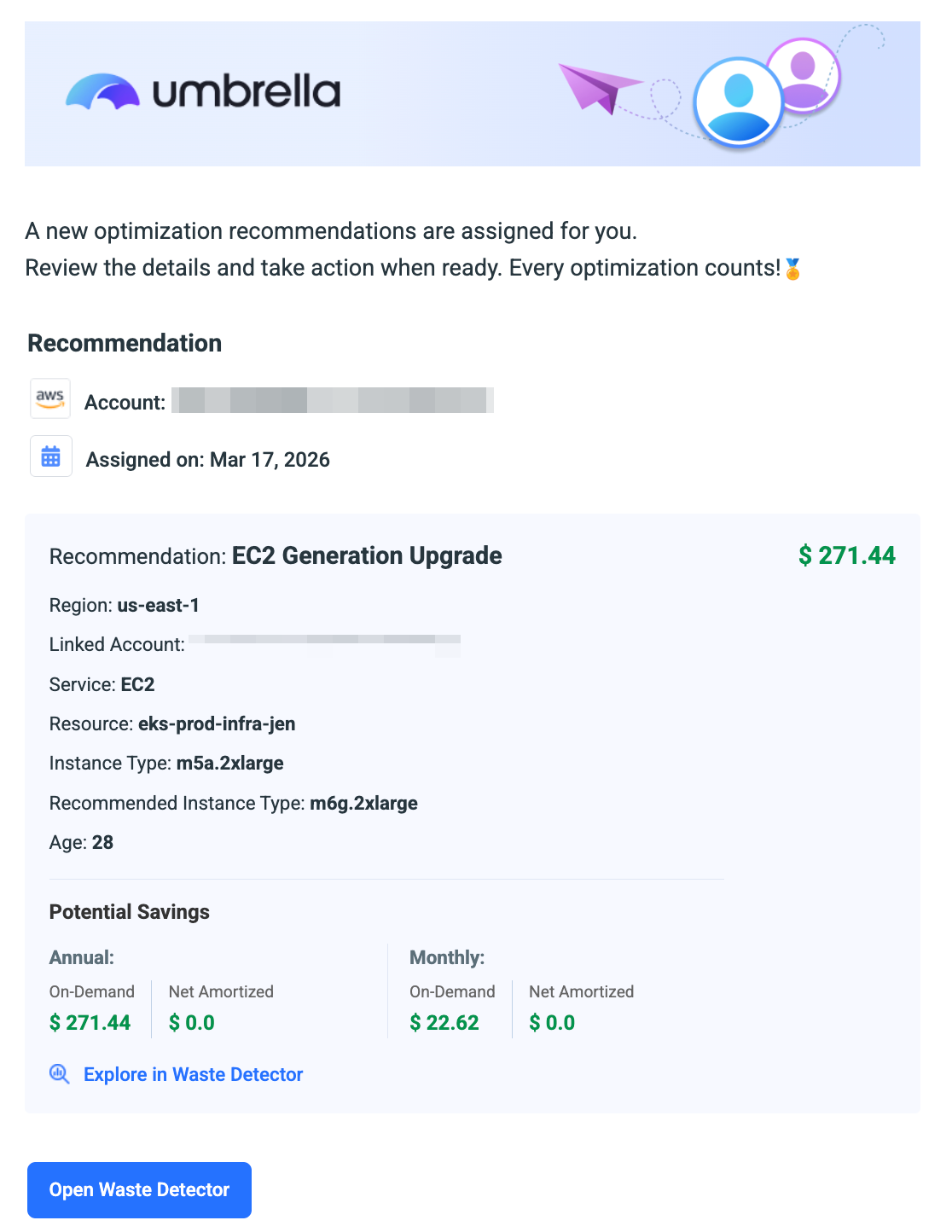
Recommendation Assignment Email
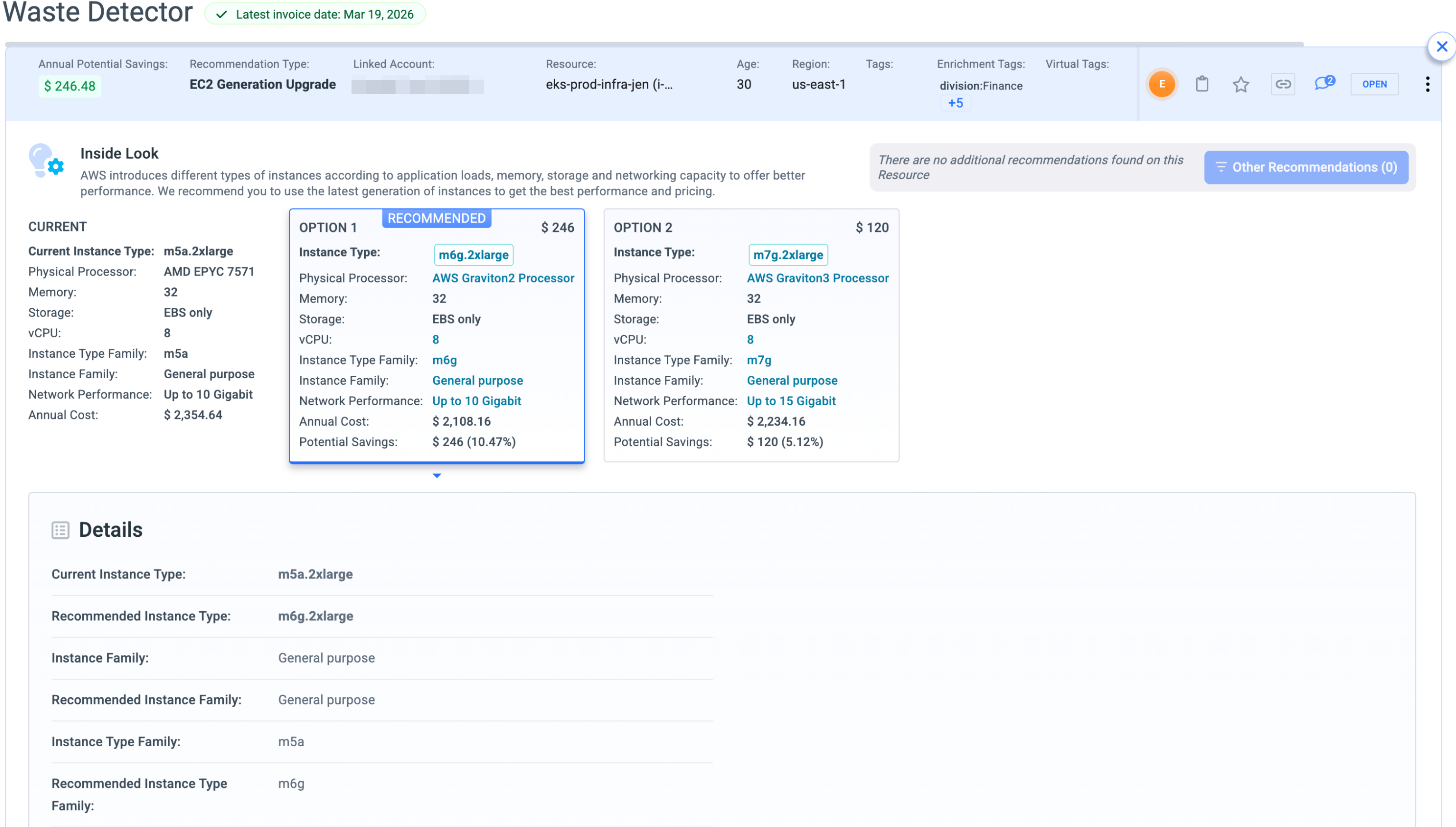
Explore in Waste Detector-single recommendation view
Assignee Heatmap
The Assignee panel in the Waste Detector heatmap shows how potential/Actual savings are distributed across team members.
Assignee Filter
Use the Assignee filter to focus the Waste Detector table on recommendations assigned to a specific person or group of people.
- Click Filter Results in the toolbar above the recommendations table.
- Select Assignee from the filter options.
- Choose one or more users from the list.
- The table updates to show only recommendations assigned to the selected users.
The Assignee filter supports multi-select and can be combined with other active filters such as Region, Recommendation Type, or Tags.
Updated 6 months ago