
Dashboard Panels
A panel is an individual chart or information component displayed within a dashboard. Panels can be created from different sources, including UI pages, custom widgets, or existing panels.
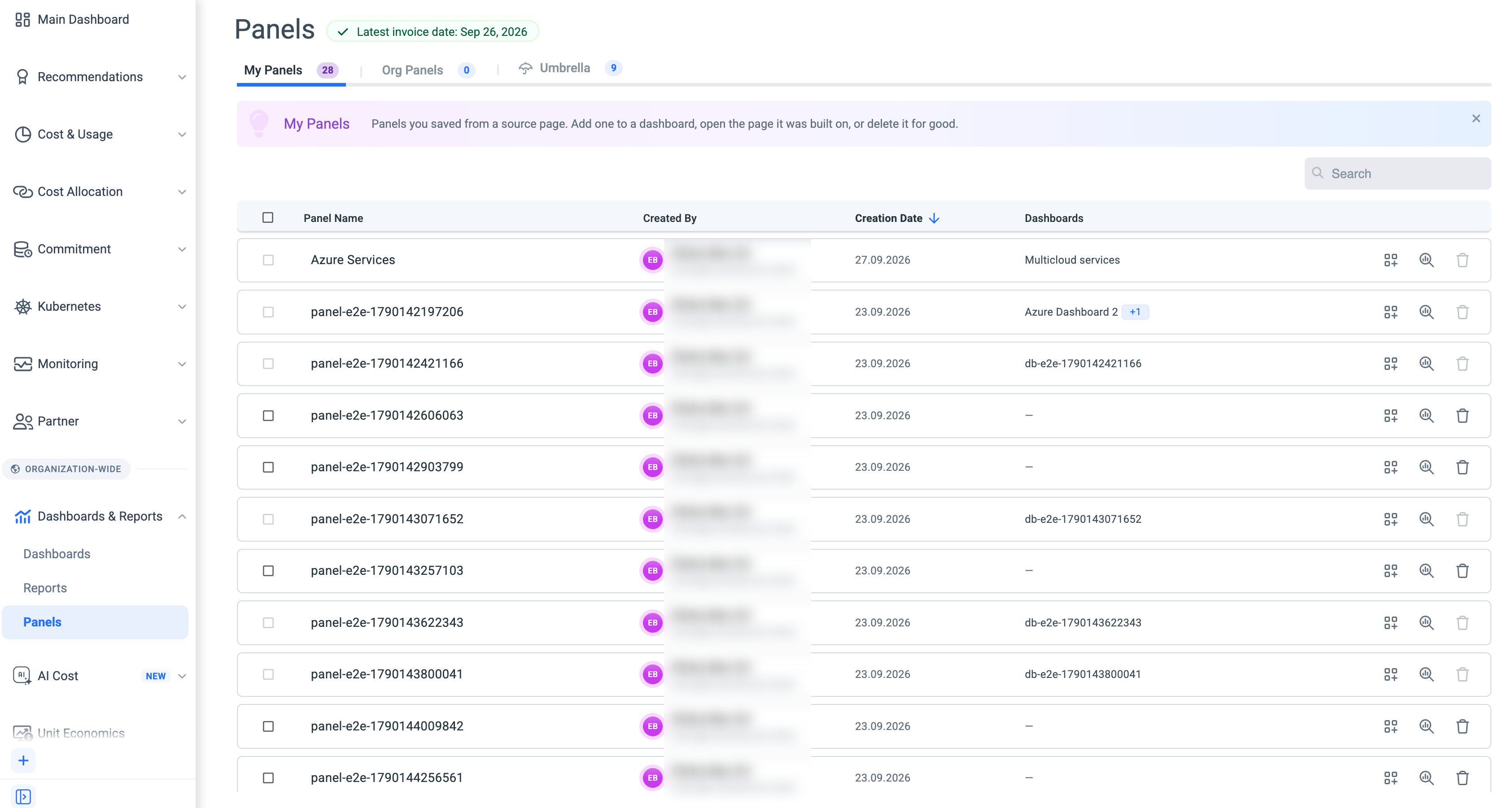
To view and manage panels, go to Dashboard & Reports > Panels. The Panels page is organized into three tabs:
- My Panels - Panels you have created and manage.
- Organization Panels - Panels created and shared within your organization.
- Umbrella System Panels - System-provided panels available across the Umbrella system.
From the Panels page, you can view and manage existing panels, see which dashboard each panel is associated with, open a panel in the Cost Explorer page, create new panels, edit existing panels, and delete panels individually or in bulk.
Updated 2 days ago
Did this page help you?