
Migration to Billing Transfer
Migrate an Existing AWS Account to Billing Transfer
If you already have an AWS account connected to Umbrella Cost, you can migrate it to the Billing Transfer architecture without reconnecting the account.
The migration preserves the existing Bill Source configuration and guides you through creating the required resources on the new Bill Transfer (PMA) account.
Migration RollbackOnce the migration is complete and the account is converted to a Billing Transfer account, it cannot be reverted to its previous configuration.
Before You Begin
Make sure you have:
- Access to the existing Bill Source AWS account in Umbrella Cost.
- Administrator permissions on the new Bill Transfer (PMA) AWS account.
- The Billing Transfer account created and ready to receive billing data.
Migration Steps
-
Open the Migration Wizard
In Umbrella, navigate to Settings > Cloud account page. Click on Billing Transfer for the account you wish to migrate.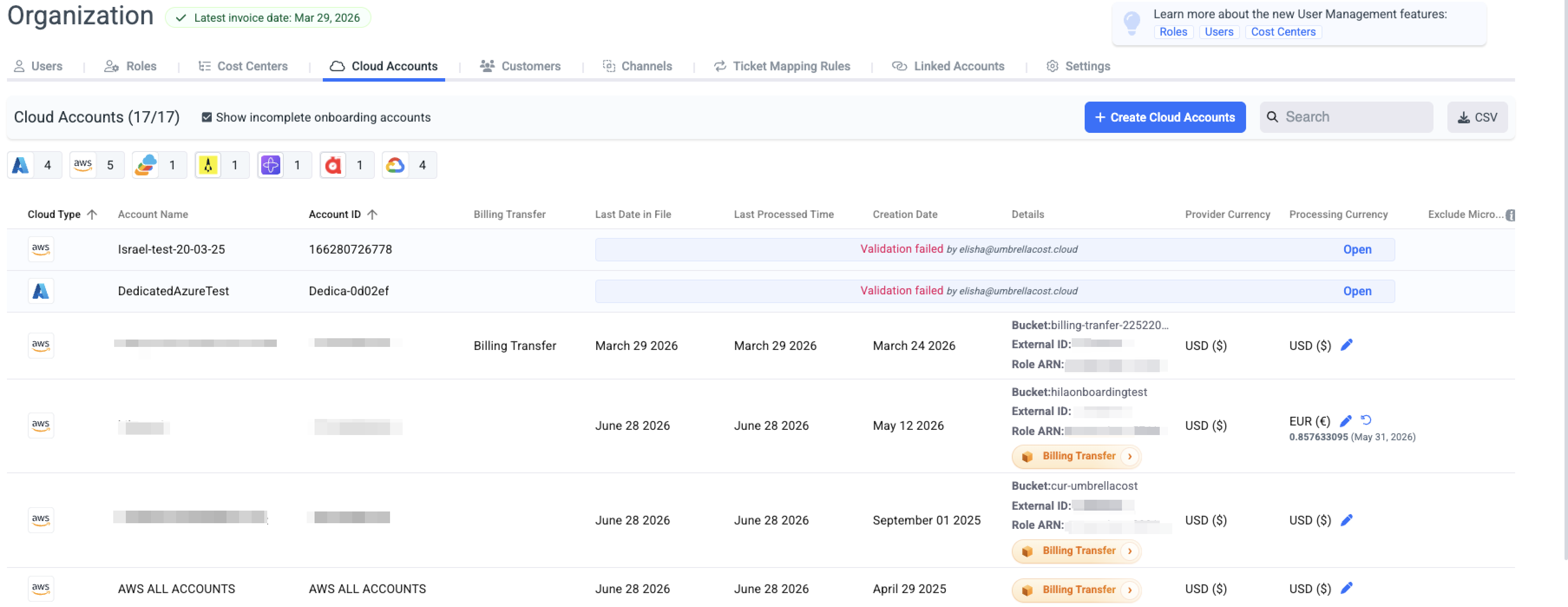
-
Configure the PMA Account
Provide the required information:- PMA AWS Account ID
- PMA Region
- PMA S3 Invoice Bucket
- (Optional) CUR S3 Object Prefix
- IAM Role name (or use the default)
Umbrella automatically generates the required External ID and IAM policy files.
-
Apply the Configuration
Download the generated JSON files.
Run the provided AWS CLI commands on the Bill Transfer (PMA) account in the order displayed to:- Configure the S3 bucket notification
- Create the IAM role (or reuse it if it already exists)
- Attach the required IAM policy
-
Verify Access
Select Verify PMA Access.
Umbrella validates that it can:- Assume the PMA IAM role
- Access the PMA CUR bucket
- Confirm the required permissions
-
Complete the Migration
Once verification succeeds, click Migrate to Billing Transfer.
The account will begin using the new Billing Transfer architecture while preserving the existing Bill Source configuration. -
After the Migration
After the migration is complete:- Billing data will be collected through the new Bill Transfer (PMA) account.
- The existing Bill Source IAM role remains unchanged.
- No existing monitoring or cost data is lost.
- Future billing data will be processed using the Billing Transfer configuration.
Updated about 2 months ago