
Users
Overview
An Umbrella user
- A user is a person using the Umbrella platform. She belongs within a single organization.
- A user views data, performs actions over this data, generates new entities, and so on, according to the role(s) she is assigned to.
- A user is linked to a role or multiple roles
As an Organization Admin or a User Management admin within Umbrella, you can:

Users tab
- Invite (Add) new users to your organization
- Enable, disable and even delete existing users
- Update the roles assigned to these users
Add users
- In the users tab, click on Add Users and follow the wizard steps
- Invite users
- Invite up to 10 users in bulk, write their emails in the text box
- Or upload a CSV with up to 49 emails. Note the first line in the file should be the title column "email"
- In the 2nd step, you can assign the relevant role(s) to them. You can update the role at later phases.
- Users you have added will receive an invitation email, scroll down to view an example.
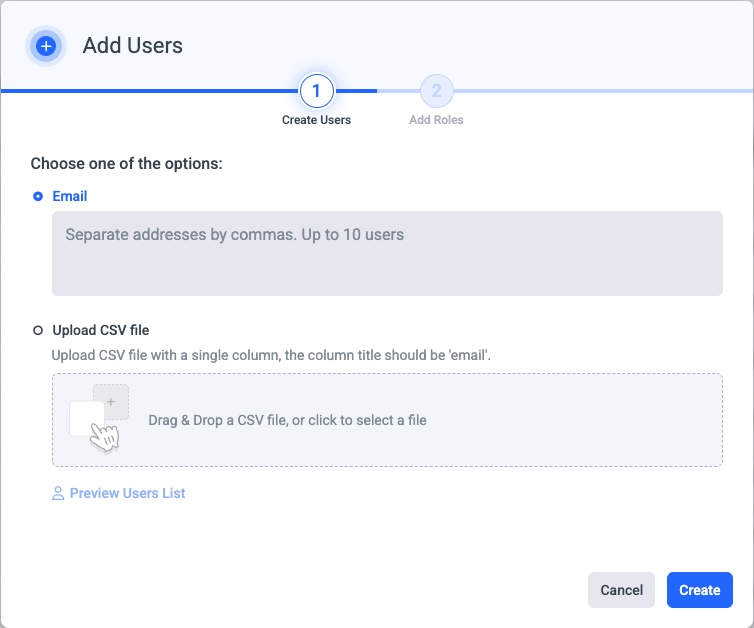
Add users via mail or CSV
Welcome email
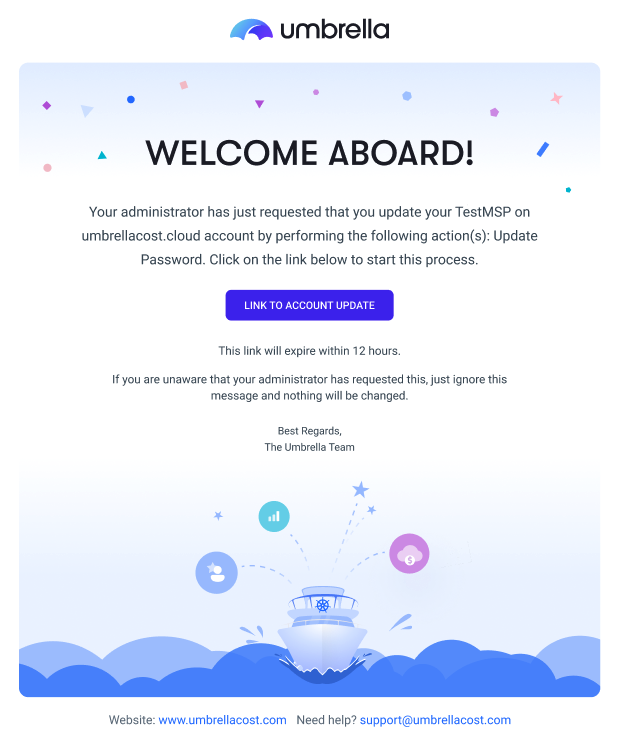
User invitation email
Updated 11 months ago
Did this page help you?