
Users PII & RBAC Permissions
Overview
The Data & Privacy setting controls how Umbrella stores and displays per-user identities from your connected AI providers.
AI usage data includes user identities - names and emails from your AI providers. Depending on your organization's privacy requirements, you may need to anonymize this data, store it openly for full attribution, or discard it entirely. This setting lets you make that choice once and have it enforced consistently across every report.
This setting directly affects what you see in the AI Cost & Usage and Analytics - User Activity.
User level data is applicable to the following data sources: AWS CUR 2.0, Anthropic Claude.ai, Cursor, Github Copilot, Space xAI and OpenAI Codex
This is an organization-wide setting - it applies across every connected AI provider, not per-provider - and it governs how personally identifiable information (PII) appears in all AI Cost section.
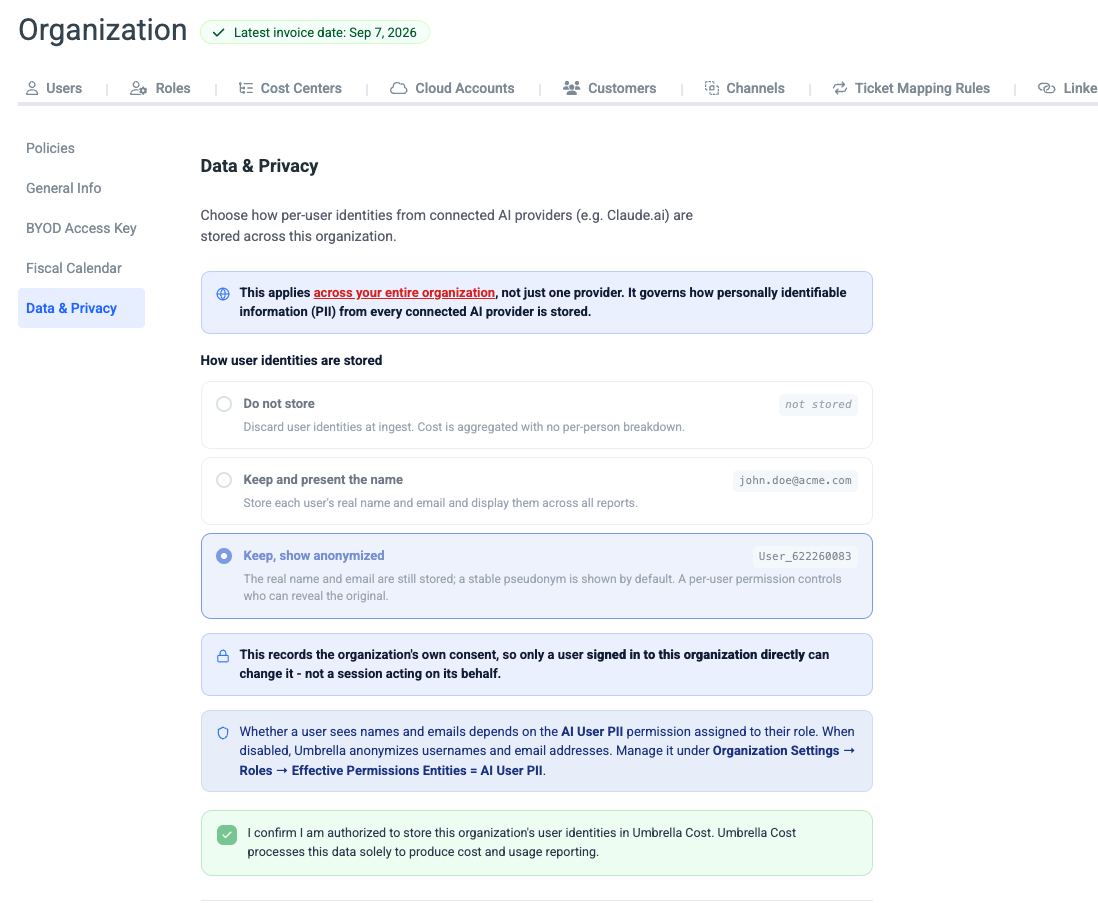
How to configure user identity storage
- Option 1: Set the Data & Privacy as part of the AI vendor onboarding (Anthropic, Cursor, Copilot).
- Option 2: Set/update the configuration by navigation to Organization → Settings → Data & Privacy.
Choose one of the three storage modes:
| Mode | What Umbrella stores | What reports show | When to use |
|---|---|---|---|
| Do not store | Nothing - user identities are discarded at ingest | Aggregated cost with no per-person breakdown | Organizations that don't need per-user attribution or have strict PII policies that prohibit storing employee identity data |
| Keep and present the name | Real name and email | Real name and email across all reports (e.g. [email protected]) | Organizations that want full transparency and have no restrictions on displaying employee identity in cost reports |
| Keep, show anonymized | Real name and email (stored) | A stable pseudonym by default (e.g. User_622260083) | Organizations that need per-user cost allocation but want to restrict who can see real names - the default for most privacy-conscious setups |
Who can change this settingThis records the organization's own consent, so only a user signed in to the organization directly can change it - not a session acting on its behalf. You must also confirm that you are authorized to store user identities in Umbrella Cost.
Pseudonyms are stableThe anonymized identifier (e.g.
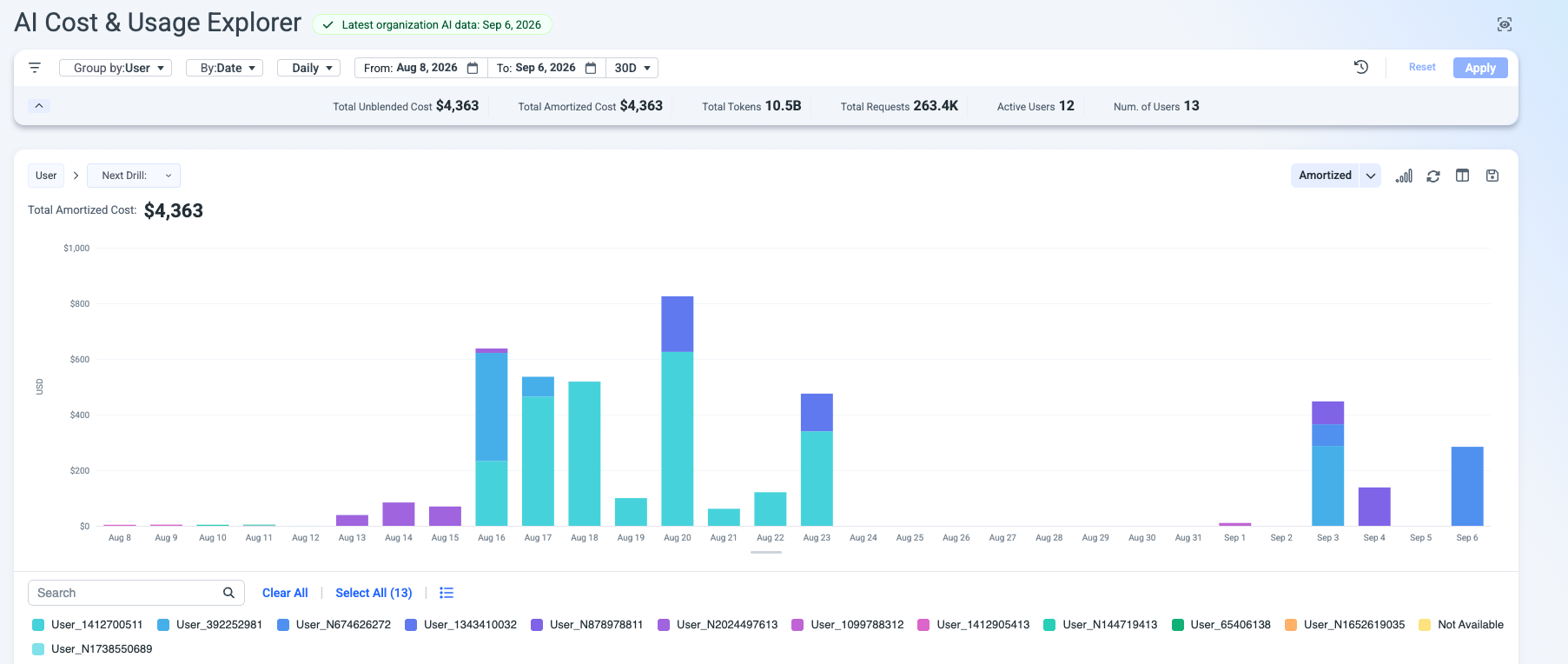
User_622260083) is consistent across reports and time periods. The same person always gets the same pseudonym hashed value, so you can still track usage trends per user even without revealing their identity.
How it looks like
In case the 'Keep, show anonymized' option was chosen, the user name will present the hashed user name.
AI permissions on the role level
In addition to the organization-wide storage mode, two role-level permissions control what individual users can see and do in AI Analytics. Manage them under Organization → Roles → Effective Permissions.
| Permission | Type | What it controls |
|---|---|---|
| AI_COST_OPS | View | Controls access to AI cost and usage features. |
| AI_USER_PII | View | Controls user name and email presentation. When disabled, Umbrella anonymizes usernames and email addresses across all AI reports. |
Updated about 2 hours ago